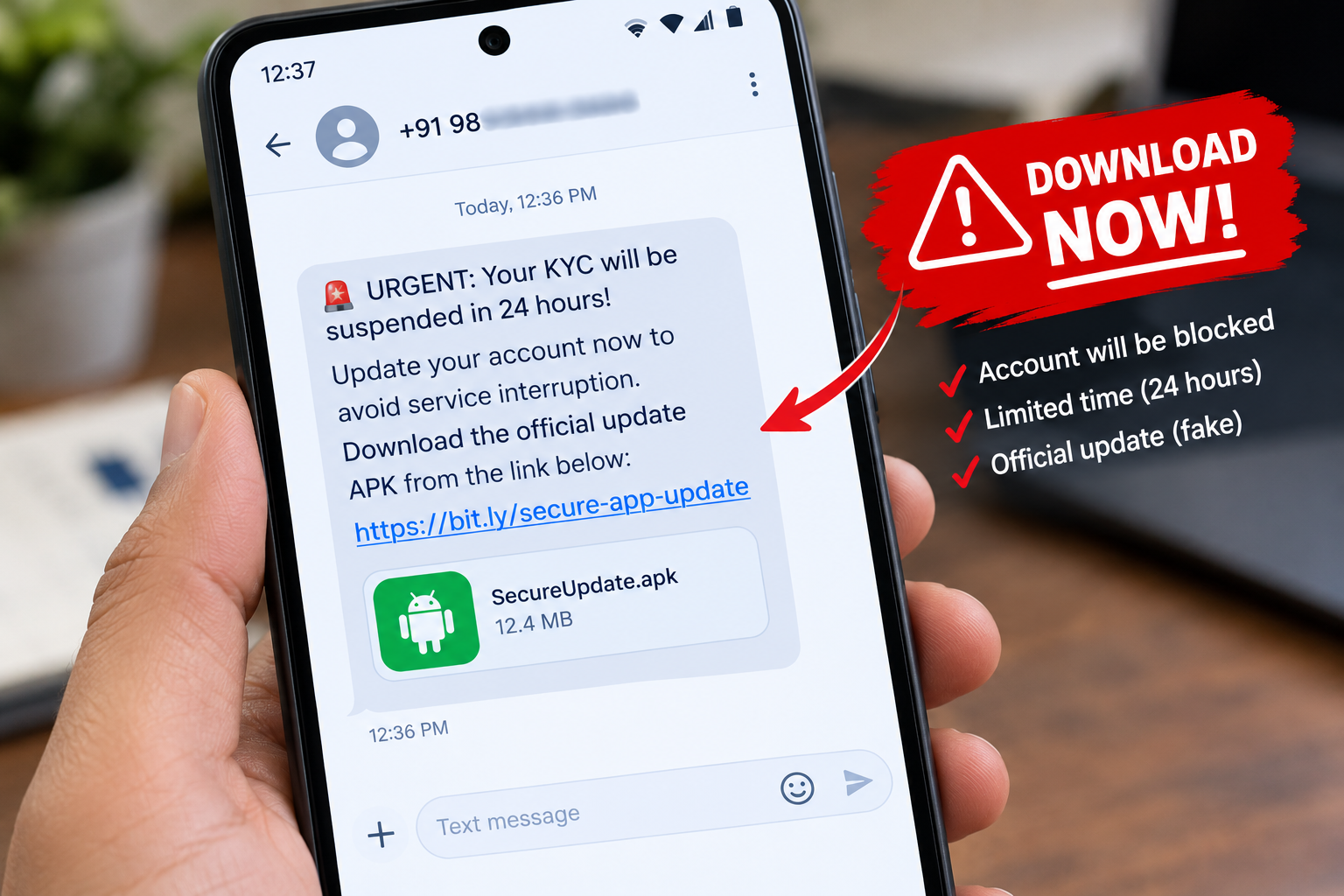

The electricity bill or similar fake APK scam in India has become one of the most common ways to empty a bank account. A message says your power will be cut tonight, and a link asks you to install a “bill update” app. That app can read your SMS, including bank OTPs.
In my work on cyber safety, I notice that the scam rarely relies on technology alone. It relies on a deadline. News reports from Indore and Bhopal describe victims losing over ₹1 lakh each after such messages, and the same trick has been used with gas bills and RTO mparivahan e-challans. Even marriage invitation card, fake bank mobile applications come as fake APKs.
Contents
How the fake electricity bill scam works
1. The panic message
You get an SMS or WhatsApp message that says your electricity connection will be disconnected tonight because last month’s bill was not updated. It gives a phone number for an “electricity officer” or a link to fix it.
2. The fake utility app
The link leads to a page that imitates a state electricity board or a bank. It asks you to download a “security certificate”, “utility app” or “verification file”. On Android this is an APK file. On iPhone it may be a configuration profile.
3. The takeover
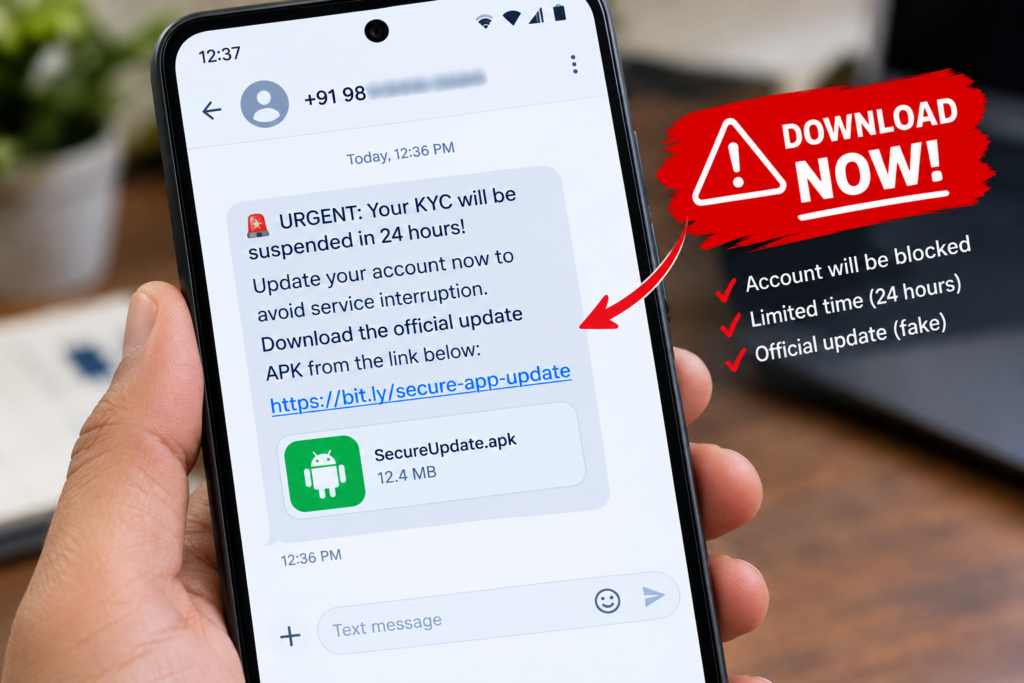
- On Android: a malicious APK typically asks for Accessibility access and permission to read SMS. With these, it can read OTPs and act on your screen.
- On iPhone: a
.mobileconfigfile is a configuration profile. A malicious one can install certificates, change network settings or enrol the phone in someone else’s device management.
Most reported Indian bill scams involve Android APKs. Malicious configuration profiles on iPhone are a documented technique, but I have not seen many Indian electricity cases that use them, so treat the iPhone part as a warning to know, not as a common event.
Warnings your phone gives you
On iPhone
- Safari asks whether you want to allow a website to download a configuration profile.
- Downloading is not enough. You must open Settings, tap Profile Downloaded and enter your passcode to install it.
- A profile that is not signed shows a “Not Signed” warning.
On Android
- Android blocks installs from Chrome or WhatsApp until you allow “Install unknown apps” for that app.
- Google Play Protect may warn you about or block a risky app.
- If an app asks for Accessibility access, the warning says it can see and control your screen. Say no.
What to do if you installed the file
| Step | Android | iPhone |
|---|---|---|
| 1. Cut the connection | Turn on Airplane Mode | Turn on Airplane Mode |
| 2. Remove it | Go to Settings, then Apps, and uninstall the new or unknown app. Under Accessibility, turn off access you did not grant on purpose. | Go to Settings, General, VPN and Device Management. Tap the unknown profile and choose Remove Profile. |
| 3. Protect your money | From another phone, call your bank, freeze cards and UPI, and change net banking passwords | Call your bank to freeze net banking if you entered any details |
If the app will not uninstall on Android, restart in Safe mode and try again. If it still resists, report the incident first and then consider a factory reset after saving what you need.
How to report the fraud in India
- Call 1930, the national cyber crime helpline, right away. Speed matters for freezing transferred money.
- File a complaint at cybercrime.gov.in.
- Report the sender number and link on the Sanchar Saathi portal, sancharsaathi.gov.in, through its Chakshu facility.
- Inform your bank in writing and keep a screenshot of the message and the app.
How to stay safe
- Never install an APK sent by SMS or WhatsApp, whatever the message says.
- Use only the official app from the Play Store or App Store, or your electricity board’s own website.
- Check dues using the consumer number on your own bill, not through a link.
- Do not call the number in a message. Call the helpline printed on your bill.
- Keep Play Protect on, and keep “Install unknown apps” off.
A SIM PIN will not stop this scam, but it helps with phone theft, as I explain in my guide to the SIM card lock. If you have already lost money or a phone, follow my lost phone checklist. I also have daily scam quizes at becybersmart.in for cyber scam awareness.
A related trick asks for your documents instead of an app. I describe it in my post on the old coin buyer scam India.
FAQ
What is the electricity bill APK scam?
Scammers send a message about an unpaid bill and a link to install an app. The app gives them access to your SMS and screen so they can take OTPs and move money.
Can a .mobileconfig file hack my iPhone?
A malicious configuration profile can change network settings or install certificates, but you have to download it and install it yourself with your passcode. Do not install profiles from links you did not ask for.
Will my electricity really be cut tonight?
No genuine utility asks you to install an app from a message to avoid a same-day cut. Check your bill on the official website or call the official number.
Who do I call if I lose money?
Call 1930 first, then your bank, and then file a complaint at cybercrime.gov.in.

Pingback: Old Coin Buyer Scam India: How Your KYC Gets Stolen
Pingback: SIM Card Lock: Set a SIM PIN to Stop Phone Fraud